
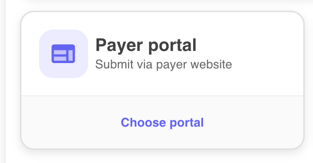
- On the Submission Selection page, choose Payer Portal as your submission method.
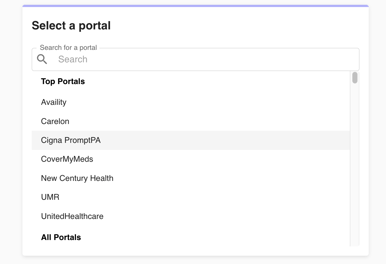
- You will first see a list of top portals, followed by a full list on the Select a Portal page. Select the portal you want to use for the authorization, then click Next.
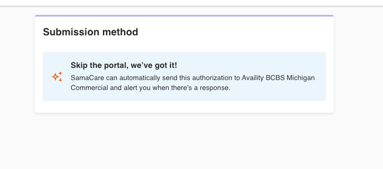
- If you select a portal that is configured for automatic submissions, you will be routed to the Submission Method page and given the option to either Manually Submit or Submit Automatically. For auto-submissions, choose Submit Automatically.

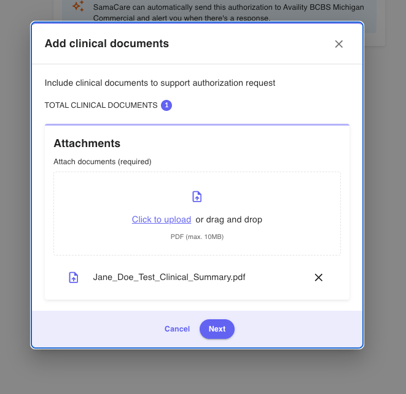
- A window will open where you will see the clinical documentation that you previously attached, as well as the option to attach additional documentation. Click Next.
- You'll be prompted to Add Information Request by the Payer. This is required. Click Confirm once you are done providing the requested information.
- You will be taken to a Review page where you can double check that all information entered is correct and edit any sections. When you are ready to submit, click Start Automation.
List of Portals and Payers for Automatic Submission
| Portal x Payer | Services |
| Availity x BCBS MI (Optum) | Specialty Pharmacy |
| Availity x BCBS TX | All except Oncology |
| Availity x Humana | All except Oncology |
| Availity x Florida Blue | All except Oncology |
| Cigna PromptPA x Cigna | Specialty Pharmacy |
| UMR x UMR | All except Oncology |
| Availity x BCBS IL | All except Oncology |
| Availity x Cigna (HealthSpring) | All except Oncology |
| Availity x BCBS AR | All except Oncology |
| UHC x UHC (Optum) | Just HCPCS J1745 currently. |
| Availity x Aetna | Procedures only |
| Availity x Anthem GA | All except Oncology |