
Overview:
When a prior authorization (PA) is denied, you no longer need to manage the appeal outside SamaCare. Every denied PA now has an Appeal action right on the record. SamaCare pre-drafts the appeal letter using the information already on the PA, so your team can review, edit, attach supporting documents, and send, all without leaving the original PA record. The appeal stays tied to that record, so the full story, from first submission to final outcome, is in one place.
Step 1: Locate the denied PA
- Open the PA record marked as Denied in your PA table
- The record now includes an Appeal action button.

Step 2: Start the appeal
- Click Appeal on the denied PA record.
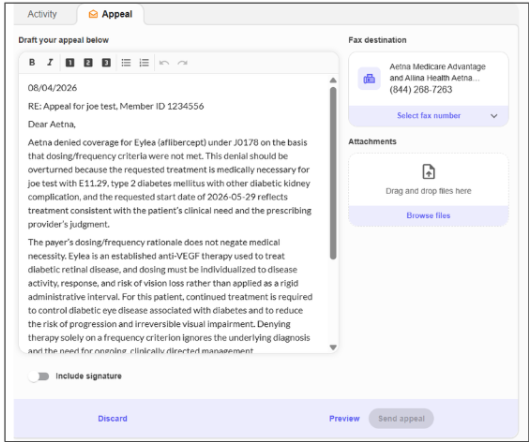
- SamaCare pre-drafts the appeal letter using the drug, diagnosis, and payer context already on the PA , you're not starting from scratch.
Step 3: Review and edit the letter
- Read through the pre-drafted letter for accuracy.
- Make any edits needed before sending
Step 4: Confirm the fax number
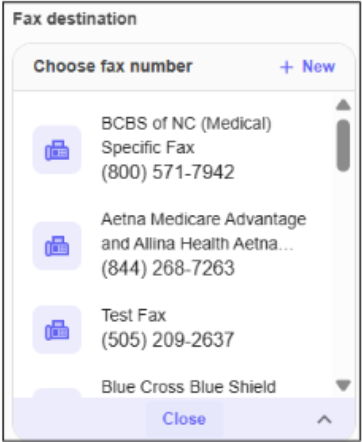
- The appeal defaults to the original submission fax number.
- If the payer routes appeals to a different number, update it here
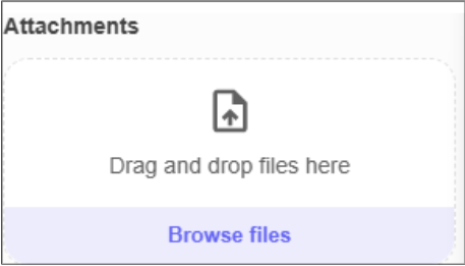
Step 5: Attach supporting documents
- Attach supporting documents from your computer or directly from your EHR — the same process as a standard PA submission.
Step 6: Send the appeal
- Once the letter, fax number, and attachments are confirmed, click Send.
- The PA status updates to Appeal Pending.
Step 7: Track the outcome
- When the payer responds, SamaCare automatically updates the same PA record — no manual reconciliation needed.
- You can view the full history, from original submission through appeal outcome, on one record.
💡 If you would like to submit a second appeal for the same authorization record, update the PA status from Appeal Pending to Denied, then follow the steps outlined above to submit another appeal.